
An industrial controllerwith expandable I/O,HMI and a cloud link.
Wire it up, describe the logic, and the controller builds it. No training, nothing to install, just a browser.
A$1,190 ex GST. JasperX is free for one controller.
Got one already? Here's the quick start guide.
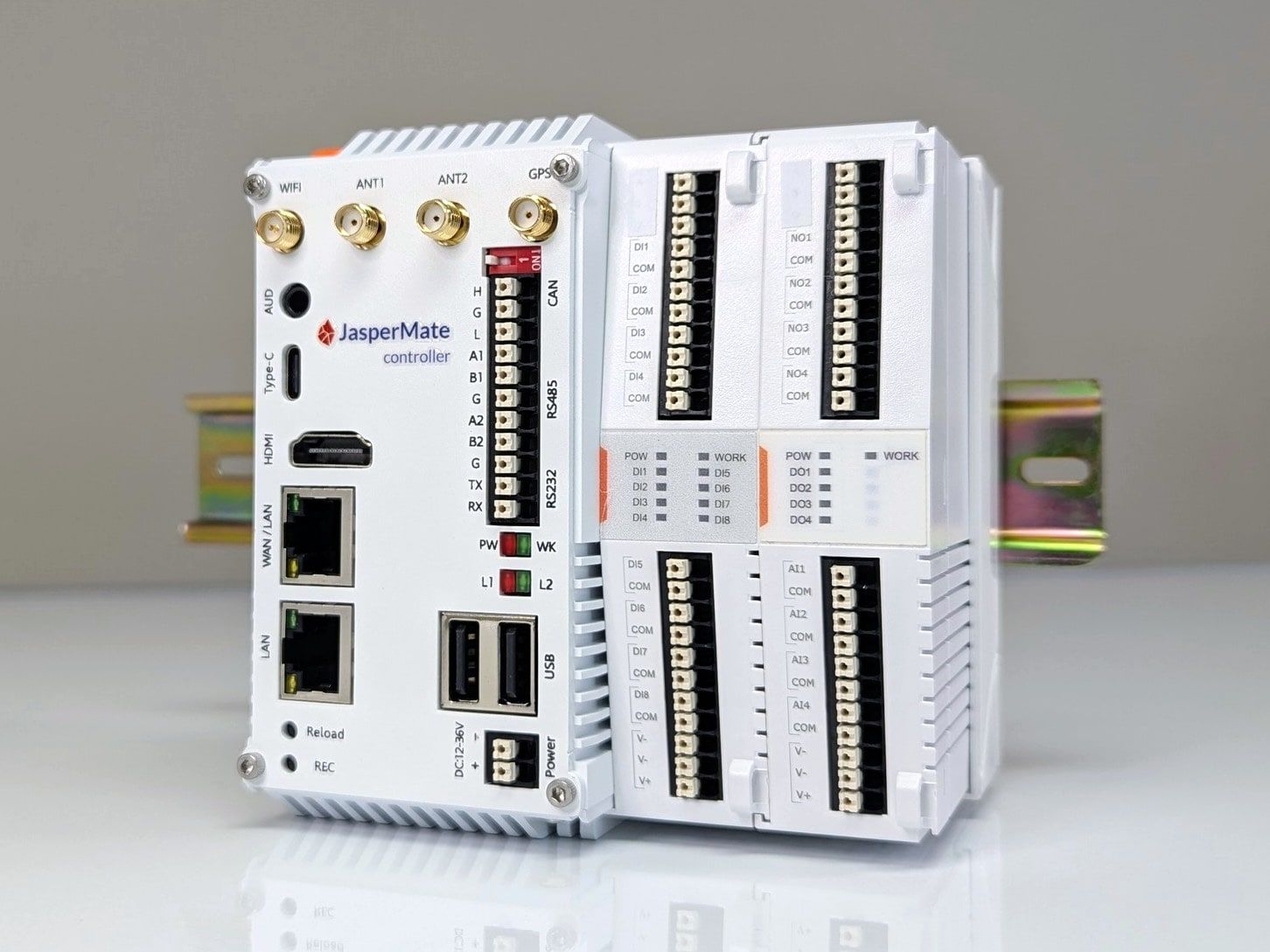
- Expandable I/O8 digital in, 4 relay out and 4 analogue in, plus up to 10 cards.
- HMI built inThe controller serves its own operator screens to any browser.
- A cloud link4G, Wi-Fi or Ethernet, outbound and encrypted. No VPN.
- Runs without the cloudIt starts and runs the machine on its own.
If you can wire it, you can program it.
JasperMate wires in like the gear you already fit, and you describe the logic in plain words.
Wired like the rest of the panelThe extraction job
S0, the E-stop, is hard-wired in series with the fan coil. It stops the fan whatever the controller does.
SafetyAlways hard-wired
Getting startedPower, a network and one address
- Step 1Wire it in
12-36 V DC and push-in terminals. Connect it over Ethernet, Wi-Fi or 4G.
- Step 2Open its jaspermate.link
Every unit has its own address, on its front. Any browser, no drivers, no software to install.
- Step 3Describe the logic
Open it in your projects at app.jasperx.io and describe, in plain words, what this JasperMate should do.
Stuck? A link like jaspermate.link/STAR41 is all you need. Open it in a browser any time, and its pages guide you through getting started.
No training. One website, one prompt.
Build, test and support it at app.jasperx.io: say what the machine should do, and Jasper drafts and tests it.
The job, start to finishNo site visit, no subcontractor
You type: The saws' running signal is on input 1 and the fan overload on input 2. A 10 kPa duct pressure sensor is on 4-20 mA input 1. Run the extraction fan on output 1 for five minutes after the saws stop.
- Describe it
In plain words, from the office.
Run the extraction fan for five minutes after the saws stop.
- Check it
Jasper drafts the change and tests it.
Test passedOverload and timer.
- Approve it
The panel is in service, so Jasper's change waits until you approve it.
Approved by you, 10:14. On record.
- Keep an eye on it
The panel's own screen, from the office or the road.
Fan runningRun-on 4:59
What you getFrom the office or the road
- No training needed
Tested before it runs - Say what the panel should do in plain words. Jasper drafts the logic and tests his changes first. Once the panel is commissioned, nothing already running changes until a person approves it.
- Eyes on the panel from anywhere
Email when it trips - Open your panel's own screen from the office or the road, and see live values and logs right in JasperX. On Pro and Premium, set notification emails to send when the machine raises an alarm you've chosen to watch.
QuestionsWhat installers ask first
- What if the internet drops?
Keeps running - The panel keeps running. The controller runs on its own, and the panel's screen stays on site.
- Is it safe to let an AI near the panel?
You approve - Jasper drafts; once a machine is commissioned, nothing already running changes until a person approves it. Safety stays in your E-stops, your interlocks and the logic you sign off.
Technical information
What's on board and what it talks to.
Mechanical and environment
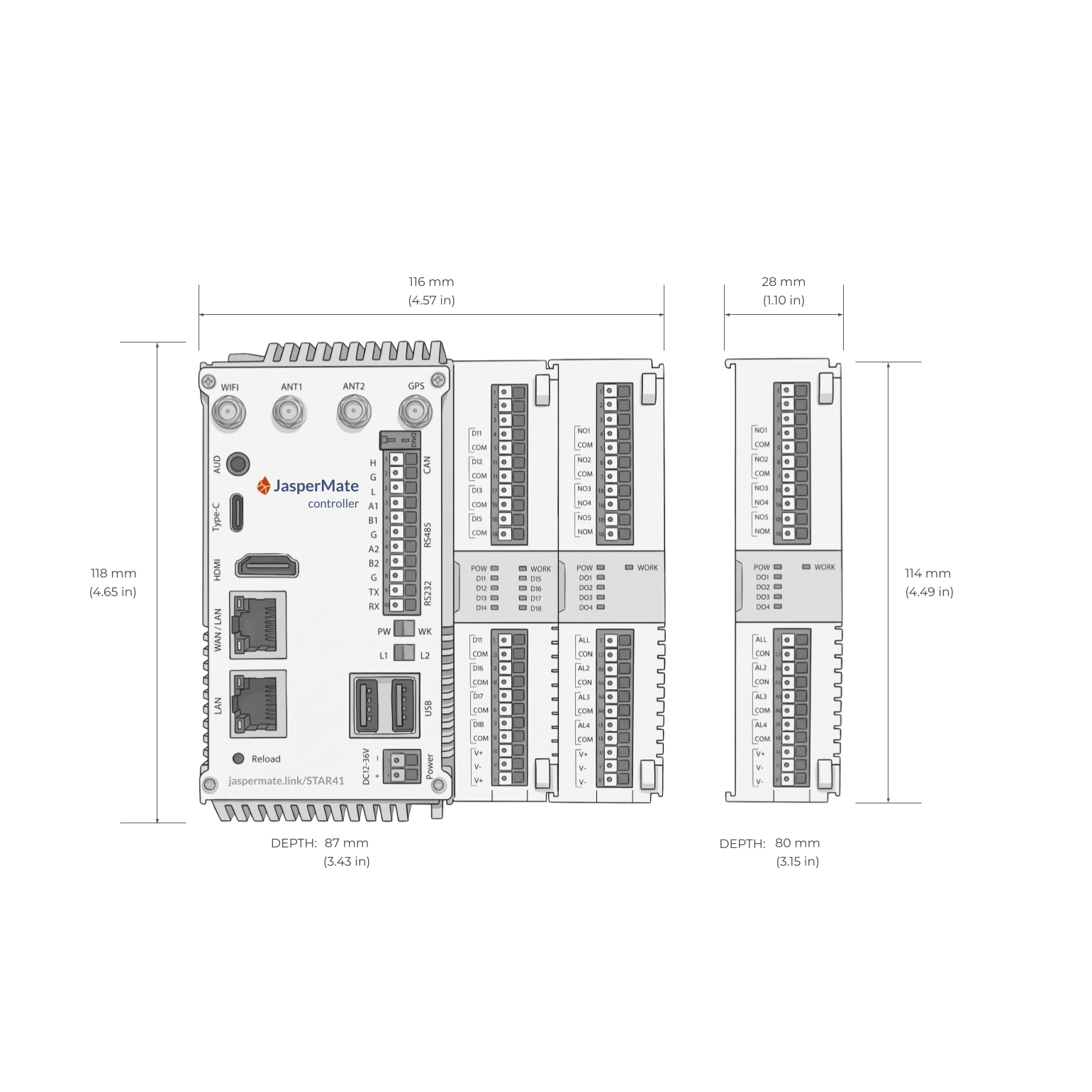
| Base unit | 118 H × 116 W × 87 D mm, 500 g |
|---|---|
| Each I/O card | 114 H × 28 W × 80 D mm |
| Mounting | 35 mm DIN rail |
| Enclosure | Powder-coated aluminium, IP20, in a cabinet |
| Temperature | -20 to +45 °C |
| Humidity | 5-95 % RH, non-condensing |
| Terminals | Push-in spring; 0.75 mm² with ferrule, 1.5 mm² maximum |
Power and onboard I/O
| Supply | 12-36 V DC, 12 W |
|---|---|
| Digital inputs | 8, 12-24 V DC, DI1 to DI8 |
| Relay outputs | 4, dry contact, 3 A at 24 V DC, NO1 to NO4 |
| Analogue inputs | 4 isolated, 4-20 mA, AI1 to AI4 |
| Not for | High-speed applications |
Computing and programming
| Processor | Quad-core ARM Cortex-A55 |
|---|---|
| Memory | 4 GB DDR4, 32 GB eMMC |
| Programming | Plain words, with Jasper; or JavaScript, by hand |
| Interface | Any web browser, nothing to install |
| HMI | Served by the controller |
Connectivity
| Ethernet | 2 RJ45, each with its own MAC |
|---|---|
| WAN port | To the cloud, 10/100/1000 Mbps |
| LAN port | Fieldbus, EtherCAT included, 10/100 Mbps |
| Wi-Fi | Dual-band, 802.11 b/g/n/ac/ax |
| 4G | LTE Cat 4, 2 nano-SIM slots |
| GPS | High sensitivity, -162 dBm; position to within 10 m |
| Serial | 2 RS-485, 1 RS-232 |
| Talks to | Modbus, Siemens S7, EtherCAT, serial, MQTT |
| Cloud link | Outbound and encrypted, no VPN |
Full datasheet: download the PDF. No login, no form.
In the fieldJasperMate customers


JasperMate is working very well and we're very happy with it. It's been performing well for us since installation. Great product.

JasperMate has changed our approach to automation jobs. When a client asks for automation, our sparkie can program it in-house. It's a new revenue stream and higher margins for us.
Talk to us about a JasperMate.
A$1,190 ex GST. I/O cards from A$140.
Questions: [email protected] or 0401 434 787
I/O cardsUp to 10 on the side bus
| Card | DI | AI | Relay | AO | Price |
|---|---|---|---|---|---|
| IO8000 | 8 | 0 | 0 | 0 | A$140 |
| IO0440 | 0 | 4 | 4 | 0 | A$140 |
| IO4040 | 4 | 0 | 4 | 0 | A$140 |
| IO0080 | 0 | 0 | 8 | 0 | A$140 |
| IO0404 | 0 | 4 | 0 | 4 | A$264 |
The same ratings as on board. The IO0404's analogue outputs are isolated, 4-20 mA or 0-10 V, selectable.
Ordering
Online ordering opens soon. Tell us about the job and the cards you need, and we'll let you know when we can deliver.
In the box
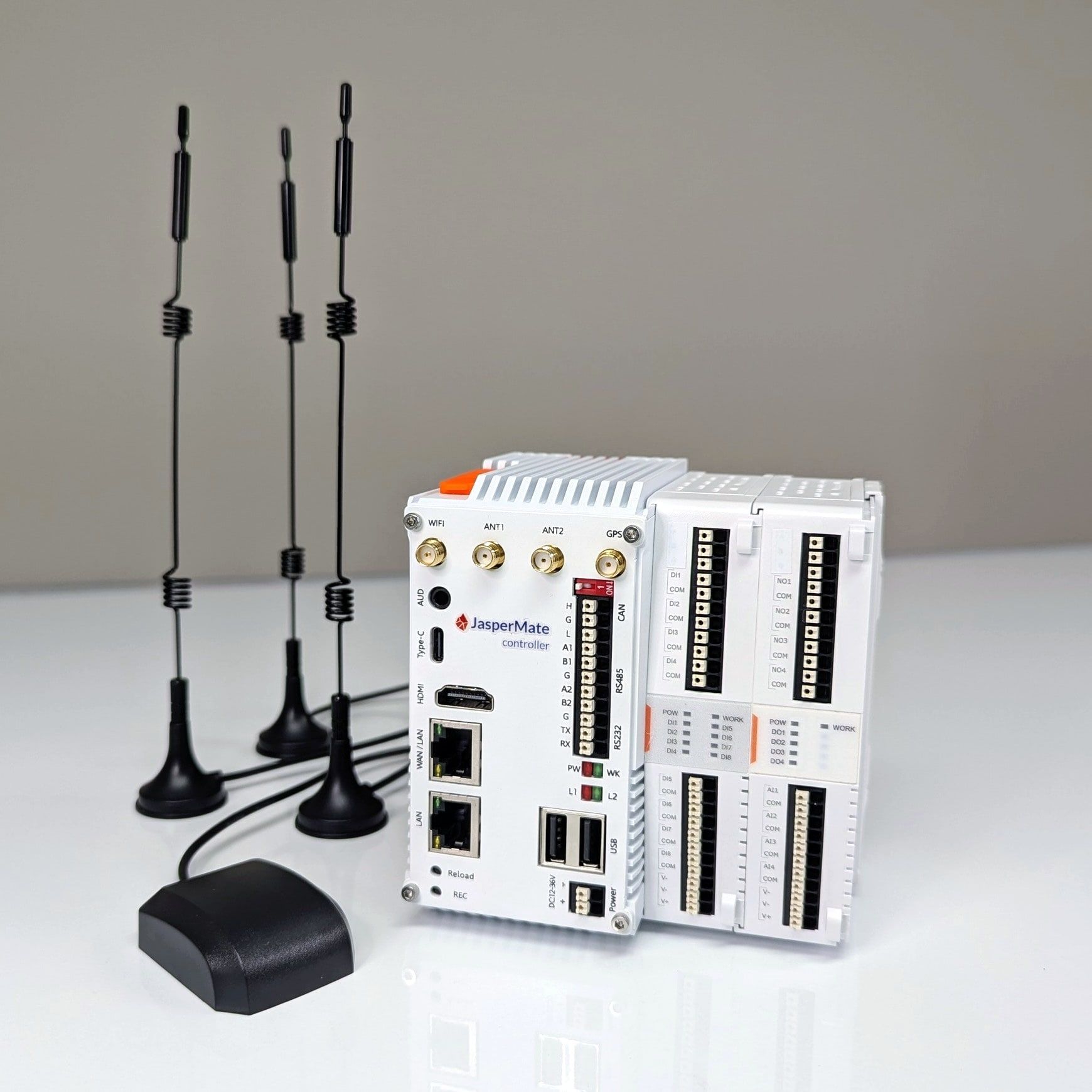
- JasperMate controllerWith its onboard I/O: 8 digital in, 4 relay out, 4 analogue in
- AntennasWi-Fi, 2 × 4G and GPS, on 2 m and 3 m leads
- Ethernet cable1 m
Fine print
Prices exclude GST. In Australia, we sell to businesses only.
Warranty: 1 year, void if the operating system or software is modified. Your rights under the Australian Consumer Law are unaffected.